



By @mashable
May 31, 2026
The best MacBooks of 2026: We compare the Air, Pro, and Neo
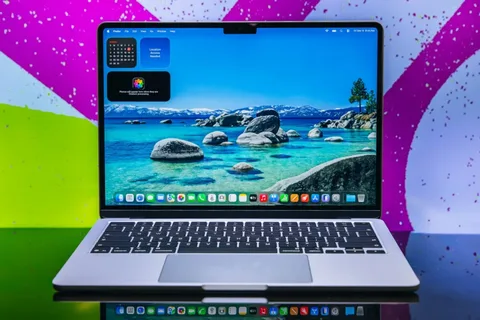
All of Apple's laptops are excellent. But if you're not sure which model is right for you, I can offer some guidance. By Haley Henschel. MacBooks have been ridiculously easy to recommend since we first started reviewing them in the mid-2010s, but especially since Apple rolled out its first M-series chips in 2020. That custom silicon affords them faster, quieter performance and longer battery lives than most same-gen Windows laptops. When you factor in Apple's elite build quality and polished operating system, it's no wonder our guide to the best laptops is teeming with MacBooks. It also helps that MacBooks have managed to avoid the steep price hikes plaguing Windows PCs and Chromebooks this year. (Thanks, RAMageddon.) The latest MacBook Air and Pro are $100 more expensive than the previous models, but they start with double the storage. When you do the math, they're actually cheaper than their predecessors with the same storage options. The MacBook lineup hasn't had a true budget option until this spring, when Apple introduced the all-new MacBook Neo. It comes in at $599 (or just $499 for students) by ditching some premium fixings and enlisting an A18 Pro chip, a processor that previously powered an iPhone. It's not the best MacBook for everyone, but it's perfect for users with simple needs, and an excellent alternative to cheap Windows PCs and Chromebooks. Now, more people than ever can join the MacBook family. Which MacBook should you buy? As of mid-2026, I think the 15-inch M5 MacBook Air is the best choice for most people. It's a sleek, future-proofed ultraportable with the right amount of premium features and more than enough muscle for everyday multitasking, including occasional content creation. It's the ideal daily driver. The new MacBook Neo is my top budget pick for students and casual users. It's not nearly as fast or as fancy as a new MacBook Air, but it's a good performer for its price point, and it's just as well-made as any other MacBook. If your typical workload involves bopping between some Chrome tabs and an app or two, look no further. If you want the nicest features and enough sustained power for photo editing, video rendering, or AI work, the 14-inch M5 MacBook Pro is my upgrade pick. It one-ups the Air with better thermal management, more ports, more base storage, a smoother display, and a longer battery life. Just come prepared to spend at least $500 more. The M5 MacBook Air successfully beats the awkward middle child allegations. It easily handles the workloads of everyday multitaskers, and it has some premium features that won't feel outdated in a few years (without going too overboard on nice-to-haves). Performance: This is one of the fastest laptops on the market, no matter how you stack it. In heavy multi-core workloads like video editing, it rivals premium Windows laptops with Intel's new high-end Panther Lake chips. In simpler single-core tasks like web browsing, it doesn't have any competition except for Asus' pricier new Zenbook A Series laptops and Apple's own M5 MacBook Pro. Speaking of: The M4 chip closed the performance gap between Apple's MacBook Air and Pro series, and that continues in the M5 era. The M5 MacBook Pro is only five percent faster than the Air in single-core tasks and nine percent faster in multi-core tasks. (They're effectively equals on both fronts.) Their biggest difference lies in the way they handle the stress of these tasks over a longer period of time. Heavy workloads are a breeze for the MacBook Pro, which has fans, but they can make the fanless MacBook Air get a bit warm, resulting in thermal throttling. If you're occasionally editing videos or playing some light games, you're totally fine with an Air. If you're a professional content creator who toils over demanding software on a daily basis, you probably need the Pro. Battery life: The M5 MacBook Air lasted 17 hours and 40 minutes in our battery life benchmark, which is a video rundown test. That's a small downgrade from the last generation, but you won't be screwed if you forget your charger at home. Design: This is largely the same laptop as the M4 MacBook Air, which isn't a terrible thing, since that laptop slapped. (It just makes for a boring gen-over-gen update.) It has a crisp 12MP Center Stage webcam, a vivid Liquid Retina display, amazing speakers, a luxe haptic trackpad, a snappy backlit Magic Keyboard with Touch ID, and a sleek all-aluminum design. Like all MacBooks, its build quality is class-leading. You can take your pick from four neutral finishes: sky blue, silver, starlight, and midnight. Value: The M5 MacBook Air starts with 16GB of RAM and 512GB of storage, which puts it in line with rivaling mid-range Windows laptops. Similarly priced PCs that I've tested (plus or minus $200) have extra fixings like OLED displays, 120Hz refresh rates, and/or better mixes of ports, but the Air's overall build quality and performance leave most of its rivals in the dust. While the Neo will tempt many buyers at half its price, the Air is very competitive for what it offers, and has an edge in its future-proofing. The new MacBook Neo is the best choice for casual users and budget buyers, including the vast majority of students. It's not as well-rounded as a MacBook Air, but it's an amazing starter laptop with the same great build quality (and livelier color options). It also makes a good secondary laptop for entertainment and online shopping if you like leaving your daily driver at the office. The MacBook Neo comes in two configurations. There's a $599 base model with 256GB of storage, and a $699 version that doubles your disk space and adds Touch ID. Those prices get even more reasonable if you utilize the Apple Store's education discount, which is open to college students, their parents, and school faculty. The Neo doesn't have a ton of pizzazz or multitasking brawn, but it's great for what it is: a very cheap MacBook. It outclasses similarly priced Windows laptops and Chromebooks. Performance: Inside the Neo, you'll find an A18 Pro chip with a six-core CPU and a five-core GPU, which is a lesser version of the processor inside 2024's iPhone 16 Pro. A laptop running on a smartphone chip? How does that work? Very well, actually, per our benchmarking. (Modern smartphones have been holding their own against PCs for some time now.) In basic single-core tasks, the Neo scores on par with an M4 MacBook Air. In other words, it feels just as snappy as a much more expensive MacBook when you're browsing the web, sending emails, and streaming videos. In heavy multi-core tasks like video editing, the Neo scores about as well as an M1 MacBook Air from 2020 — not too shabby. Mashable Tech Editor Timothy Beck Werth had no trouble using it for a simple Final Cut Pro edit. But keep in mind that its 8GB of fixed RAM is really going to limit your ability to juggle a bunch of apps or files. The archetypal Neo user will only have a couple of browser tabs open at any given time, maybe with Spotify running in the background. Anything too demanding will make it pokey. Battery life: The Neo lasts for around 15 hours per charge. It dies much sooner than an Air or Pro, but it'll definitely get you through a full workday with plenty of juice to spare. For what it's worth, the Windows laptops and Chromebooks in our current testing database have median battery lives of 14 hours and 10 hours, respectively. Design: The 13-inch Neo weighs the same as a 13-inch MacBook Air (which technically measures 13.3 inches across), but it's slightly thicker. It's also fanless, just like the Air. It has a pretty Liquid Retina display and excellent speakers with Dolby Atmos and Spatial Audio support. Its 1080p webcam is located in its upper bezel, so unlike a MacBook Air or Pro, it doesn't have an uggo notch jutting down into its screen. Apple ditched features like keyboard backlighting, True Tone display technology, a haptic touchpad, and fast Thunderbolt ports in making the Neo affordable, but it didn't skimp on build quality. It has an all-aluminum design that makes it just as sturdy and polished as any other MacBook. (Most cheap laptops have plastic components.) It also comes in some fun blush and citrus colors. Value: The Neo is in a league of its own among cheap laptops, offering unmatched build quality and single-core performance at its price point. Just note that it's less future-proofed than Apple's other MacBooks, which have way more upgradable storage, RAM, and newer WiFi tech on top of their premium features. The M5 MacBook Pro is my top pick for power users and deep-pocketed shoppers who want a MacBook with the nicest, most future-proofed specs. It's overkill for the average person, but it's worth the splurge for content creators, developers, AI enthusiasts, and other professionals with consistently demanding workloads. It's available in one 14-inch size that makes it well-suited for on-the-go lifestyles. As of early 2026, the M5 MacBook Pro starts with 16GB of RAM and 1TB of storage for $1,699 — a $100 dip from its identically specced predecessor. It maxes out with 32GB of RAM and 4TB of disk space, and there's an optional nano-texture display upgrade that costs $150 extra. Some creative professionals will look at the M5 MacBook Air and find its specs a little lacking — more 'adequate' than 'amazing.' For you, there's the M5 MacBook Pro. Performance: To date, this guy has the best performance-to-battery-life ratio out of any MacBook we've tested. In demanding multi-core workloads, it's faster than 90 percent of the laptops in our current testing database, including many Windows laptops that cost well over $2,000. It's only nine percent faster than the M5 MacBook Air in such scenarios, but again, its fans make it better at handling them over a long period of time. Thermal throttling is more likely with an Air. Battery life: The M5 MacBook Pro held out for 21 hours and 17 minutes in our battery life benchmark, lasting almost 30 percent longer than its M4 predecessor (an impressive gen-over-gen bump); it beats the M5 MacBook Air by well over three hours. It's our battery life champ among MacBooks. Design: The M5 MacBook Pro is slightly less portable than the Air, but not by much. It's less than 0.2 inches thicker than both sizes and 0.1 pounds heavier than the 15-inch model. This affords it enough room for extra fixings like an HDMI port, an SDXC card slot, and a bonus Thunderbolt port, as well as an awesome hi-fi sound system with force-cancelling woofers. I've tested dozens of laptops over the course of my career, and none of them sound better than a MacBook Pro. The M5 MacBook Pro looks as spectacular as it sounds, as per tradition. (Apple hasn't made any drastic design changes to it since 2021.) Its mini-LED 'Liquid Retina XDR' display offers a resolution of 3024 x 1964 pixels, a peak brightness of 1600 nits in HDR, and a 120Hz refresh rate. Compared to the M5 MacBook Air's standard Liquid Retina screen, it's crisper, brighter, and smoother when displaying visuals in motion — not necessary for all users, again, but very nice to have if you can swing the spend. Take your pick from two finishes: space black or silver. Just be mindful that the former is a fingerprint magnet. Value: Similarly priced Windows laptops feature gorgeous OLED displays and dedicated GPUs, making them way better for PC gaming. But the M5 MacBook Pro trounces most of them when it comes to balancing intensive creative performance with battery life. While it's expensive compared to the Air and Neo, especially if you opt for more RAM, storage, or the nano-texture display upgrade, it's an obviously superior laptop that's future-proofed to the gills.
Source: Mashable